API Identity & Access Management (IAM)
2 minute read
API Identity & Access Management
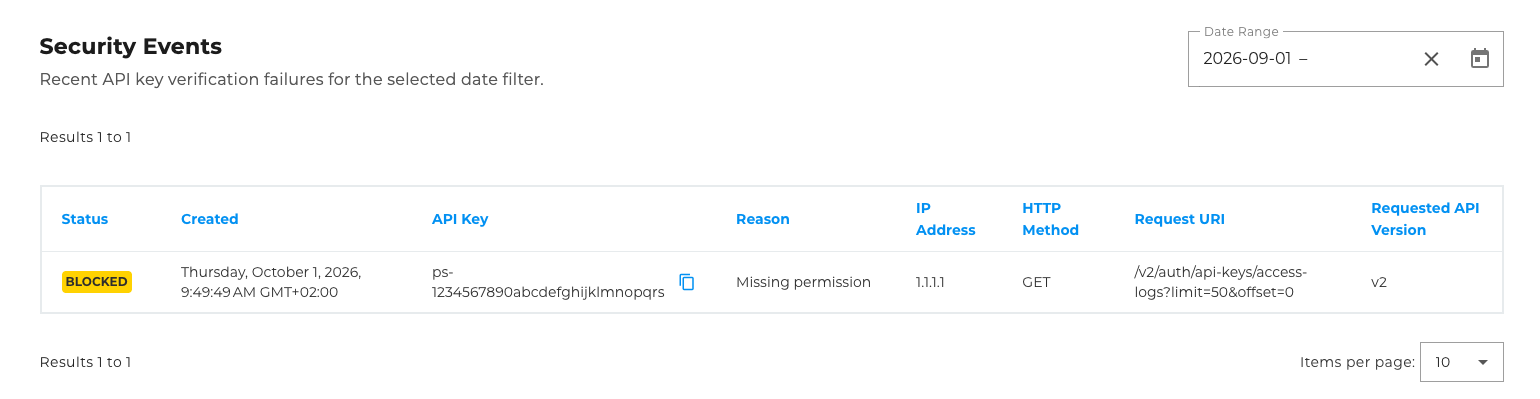
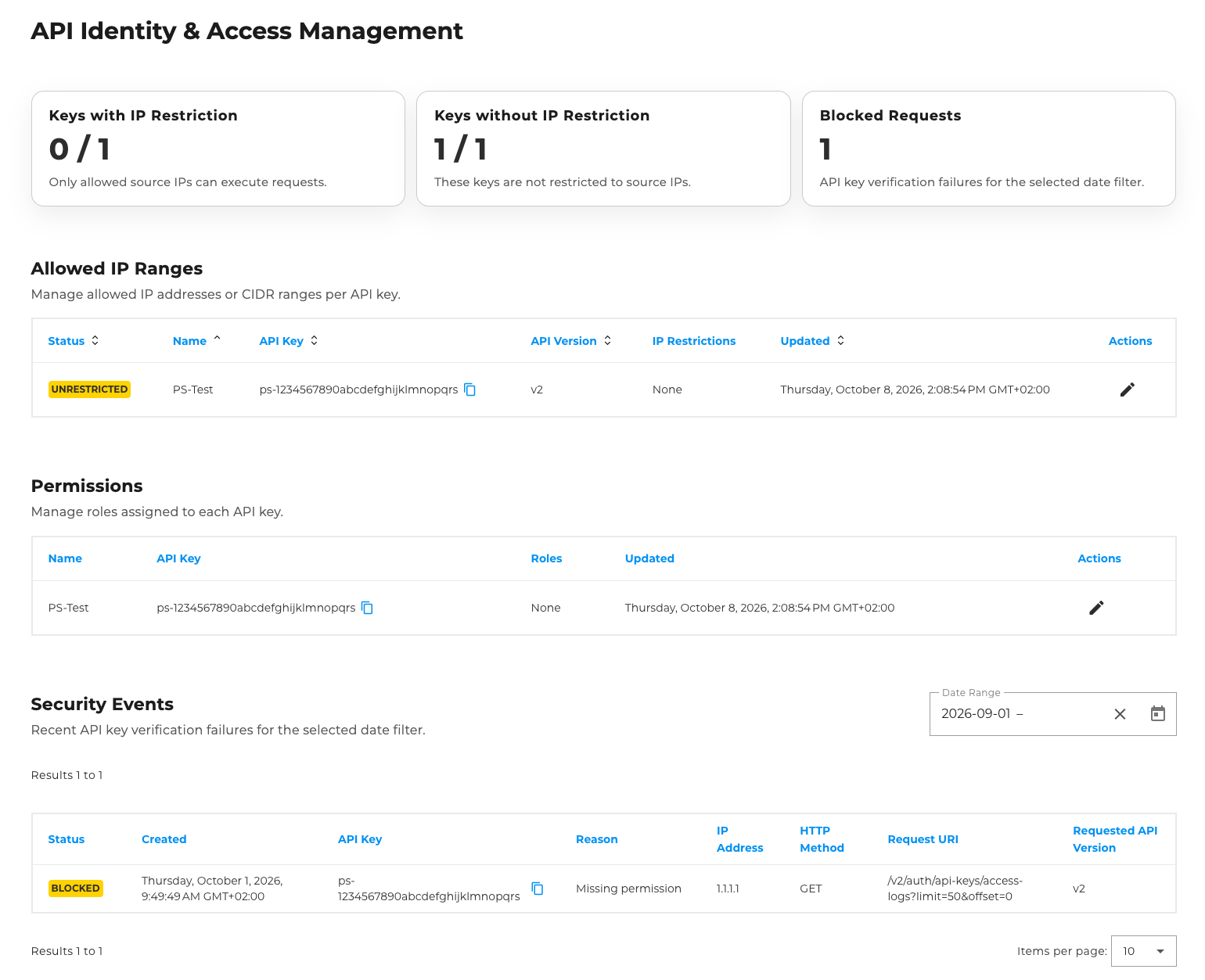
In Identity & Access Management (or IAM for short), you can restrict your API keys to specific IP ranges, grant permissions and view security events.
Permitted IP Ranges
In the first table, you can see whether any IP restrictions have been configured for the API key and, if so, which ones.

You can also (as with API key creation) restrict your API keys to specific IP ranges. To do this, click on the edit icon in the far-right column and enter the desired IP range in the pop-up window that appears.

Permissions
The second table, “Permissions”, displays the roles assigned to each API key.

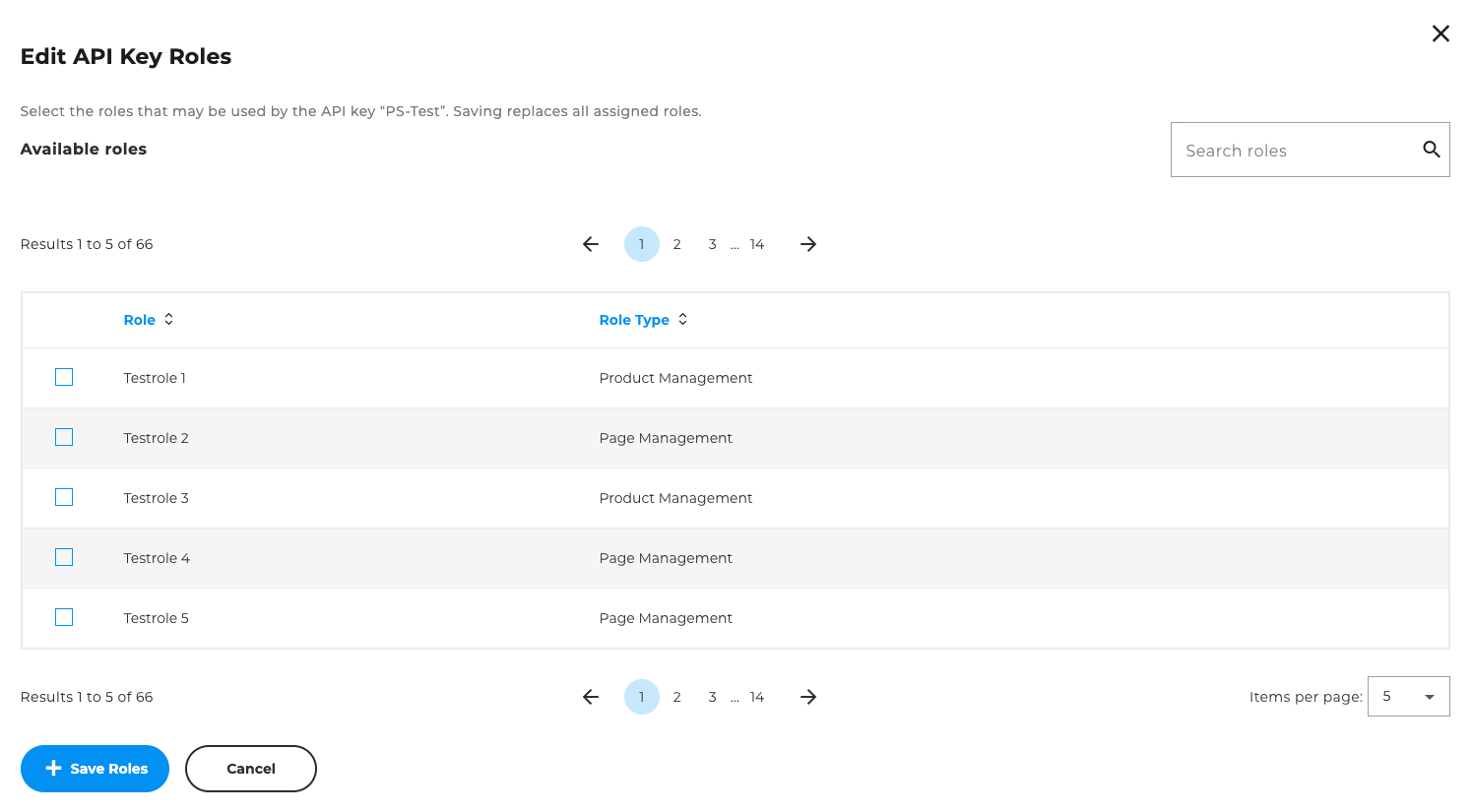
You can also customise the roles of the API keys. To do this, click on the edit icon here as well. The roles you can select in the pop-up window are the same as those in the User Management section of CloudHub.
Security Events
In this table, you can view failed requests for your API keys. To do this, select a time period for which you wish to view the events. The table will then display:
- Status: The status of the request
- Created: When the request was created
- API Key: The ID of the API key used for the request
- Reason: The reason why the request failed
- IP address: The IP address from which the request was made
- HTTP method: The HTTP method used for the request
- Request URI: The CloudHub API endpoint that was requested
- Requested API version: The version of the API on which the requested endpoint resides