Remote Management System
Using the server’s Remote Management System for troubleshooting or custom installation of operating systems
less than a minute
It is possible to receive temporary access to the servers Remote Management System.
There the virtual console can be used, to
- inspect the boot process
- diagnose and solve issues of the installed operating system
- perform completely custom installations by e.g. inserting ISO files
Request
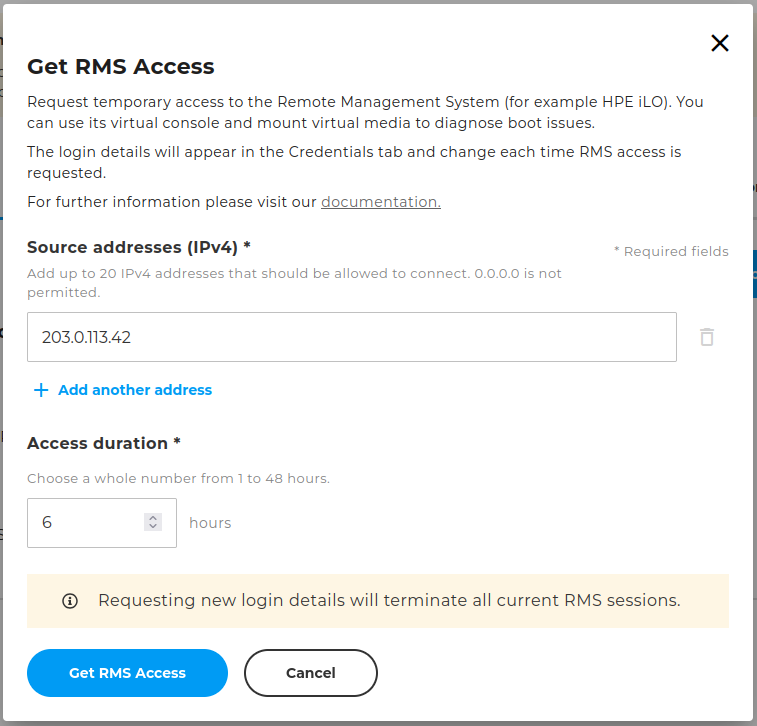
Access can be requested at any time via CloudHub and is usually available in below 5 minutes. Enter the source addresses from which you will access from and how long it shall be available.
After confirmation all previous credentials and access will be invalidated and new ones generated.
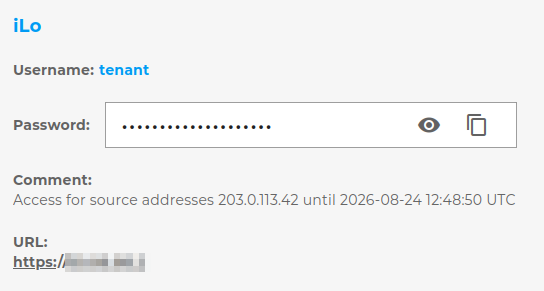
After processing you can find the issued credentials and corresponding URL in the tab “Credentials” of your system, e.g. for an HPE iLO:
Tips
- Do not insert local ISO files, but an accessible URL, so that the installation can continue without login of your local computer
- As long as the boot order is correct, ISO files will be booted automatically - otherwise the boot order has to be fixed